Building DOOM for fun and NOT profit (I promise Bethesda)
We're going to build the DOOM source code that was released in 1997 by id Software. This is well trodden ground, with evidence in submitted pull requests to its GitHub repository and with projects such as gzdoom and Chocolate DOOM. Nevertheless, it can be fun to figure out things for oneself while referring to available wisdom as the last resort. It's also the first idea that came to my mind for a technical write-up and I ran away with it without much thought. Consider this a catalyst for my hopefully long career of posting write-ups on this website!
I wouldn't say that I'm a fan of the DOOM games, I wasn't really exposed to them back in the nineties. It's not like they would have been withheld from me either. Like many children that I knew back then, I wasn't particularly shielded from violent content in media. I would have routine Mortal Kombat binges at a neighbour's house. The film RoboCop was also rented for me despite its age rating. For DOOM, I suppose the stars didn't align for me to have an opportunity to play it, not having a PC at the time certainly played a part. The first time I actually played DOOM was when it was released on the XBox 360 Live Arcade; even then I cannot be sure that I played through all of the episodes. My house-mate at the time was a big XBox achievement hunter and fully completed both DOOM 1 and 2 and I contribute my nostalgia to the osmotic effect of watching him play when we would hang out. It's my unconventional nostalgia for DOOM, its cultural relevance and significance in gaming and software history that brings me here.
To keep the scope reasonable and for archaeological reasons, we're going to push towards a working build by making the minimum set of adjustments. We will ignore all compiler warnings; they will be stripped from the compiler output for the sake of brevity.
Here are my system specs:
- OS: Linux Mint 22.3 (zena)
- Arch: x86-64 CPU
- Compiler: GCC 13.3.0
First we'll get the source code from GitHub.
git clone https://github.com/id-Software/DOOM.git source/doom
There's no build instructions in README.TXT but there is a Makefile in the directory linuxdoom-1.10. Let's run it.
cd linuxdoom-1.10 && make
Here's the first issue.
gcc   -g -Wall -DNORMALUNIX -DLINUX  -c doomdef.c -o linux/doomdef.o
Assembler messages:
Fatal error: can't create linux/doomdef.o: No such file or directory
make: *** [Makefile:91: linux/doomdef.o] Error 1
Looks like directory linux is missing.
mkdir linux
And another build.
gcc   -g -Wall -DNORMALUNIX -DLINUX  -c doomdef.c -o linux/doomdef.o
gcc   -g -Wall -DNORMALUNIX -DLINUX  -c i_video.c -o linux/i_video.o
i_video.c:49:10: fatal error: errnos.h: No such file or directory
   49 | #include <errnos.h>
      |          ^~~~~~~~~~
compilation terminated.
make: *** [Makefile:91: linux/i_video.o] Error 1
errnos.h is a typo. errno.h is the correct name of the C standard library header file. I'm not
aware of it ever being errnos.h. We will change it from this.
#include <errnos.h>
To this.
#include <errno.h>
Now we get repeated error messages with different values. I'll show the topmost error.
gcc   -g -Wall -DNORMALUNIX -DLINUX  -c m_misc.c -o linux/m_misc.o
m_misc.c:257:48: error: initializer element is not constant
m_misc.c:257:48: note: (near initialization for ‘defaults[14].defaultvalue’)
m_misc.c:264:35: warning: cast from pointer to integer of different size [-Wpointer-to-int-cast]
  264 |     {"mousedev", (int*)&mousedev, (int)"/dev/ttyS0"},
      |                                   ^
make: *** [Makefile:91: linux/m_misc.o] Error 1

Compilation exited abnormally with code 2 at Wed May 20 22:01:27
The third argument casts a string literal (const char*) to an int. Since my host build environment
is x86-64, a narrowing conversion from eight bytes, the "word length" of x86-64, to four bytes will
occur. As a work around, we will add an additional compiler argument within the Makefile to build
a 32bit executable.
CFLAGS=-g -Wall -DNORMALUNIX -DLINUX # -DUSEASM
CFLAGS+=-m32 # Addition for the modern world.
This will require a tool chain that can build 32bit executables. On Debian based systems, the
following package can be installed with apt.
sudo apt-get install gcc-multilib
Optionally, the package g++-multilib is also available if you wish to build DOOM as a C++
program. Here are the next issues.
In file included from am_map.c:29:
am_map.c: In function ‘AM_updateLightLev’:
am_map.c:786:12: error: type defaults to ‘int’ in declaration of ‘nexttic’ [-Wimplicit-int]
  786 |     static nexttic = 0;
      |            ^~~~~~~
am_map.c: In function ‘AM_clipMline’:
am_map.c:859:17: error: type defaults to ‘int’ in declaration of ‘outcode1’ [-Wimplicit-int]
  859 |     register    outcode1 = 0;
      |                 ^~~~~~~~
am_map.c:860:17: error: type defaults to ‘int’ in declaration of ‘outcode2’ [-Wimplicit-int]
  860 |     register    outcode2 = 0;
      |                 ^~~~~~~~
am_map.c:861:17: error: type defaults to ‘int’ in declaration of ‘outside’ [-Wimplicit-int]
  861 |     register    outside;
      |                 ^~~~~~~
am_map.c: In function ‘AM_drawFline’:
am_map.c:992:12: error: type defaults to ‘int’ in declaration of ‘fuck’ [-Wimplicit-int]
  992 |     static fuck = 0;
      |            ^~~~
These errors are a case of missing types within their declarations. I will declare the variables
to be of type int.
static int nexttic = 0;
Same for these
register int    outcode1 = 0;
register int    outcode2 = 0;
register int    outside;
Finally here. Bad language. :(
static int fuck = 0;
Next, you may get the following linker errors.
/usr/bin/ld: skipping incompatible /usr/lib/x86_64-linux-gnu/libXext.so when searching for -lXext
/usr/bin/ld: skipping incompatible /usr/lib/x86_64-linux-gnu/libXext.a when searching for -lXext
/usr/bin/ld: cannot find -lXext: No such file or directory
/usr/bin/ld: skipping incompatible /usr/lib/x86_64-linux-gnu/libXext.so when searching for -lXext
/usr/bin/ld: skipping incompatible /usr/lib/x86_64-linux-gnu/libX11.so when searching for -lX11
/usr/bin/ld: skipping incompatible /usr/lib/x86_64-linux-gnu/libX11.a when searching for -lX11
/usr/bin/ld: cannot find -lX11: No such file or directory
/usr/bin/ld: skipping incompatible /usr/lib/x86_64-linux-gnu/libX11.so when searching for -lX11
/usr/bin/ld: cannot find -lnsl: No such file or directory
In my case, symlinks libXext.so, libX11.so and libnsl.so were missing in directory
/usr/lib/i386-linux-gnu. I'm not sure why, did I mess up my system during prior activity? Is Linux
Mint or the Apt package manager at fault here? Or was this intentional for some reason? To proceed
forward, I'll add the required symlinks for /usr/lib/i386-linux-gnu.
sudo ln -s /usr/lib/i386-linux-gnu/libXext.so.6.4.0 /usr/lib/i386-linux-gnu/libXext.so
sudo ln -s /usr/lib/i386-linux-gnu/libX11.so.6.4.0 /usr/lib/i386-linux-gnu/libX11.so
sudo ln -s /usr/lib/i386-linux-gnu/libnsl.so.1 /usr/lib/i386-linux-gnu/libnsl.so
Now a subsequent linker error.
/usr/bin/ld: errno: TLS definition in /lib32/libc.so.6 section .tbss mismatches non-TLS reference in linux/i_sound.o
/usr/bin/ld: /lib32/libc.so.6: error adding symbols: bad value
collect2: error: ld returned 1 exit status
Let's unpack this message. It's telling us that the linker has found a mismatch between symbols
errno within /lib32/libc.so.6 and linux/i_sound.o; it makes reference to thread local storage
(TLS). Separate threads of execution will have unique ownership over automatically allocated memory,
that is, stack allocated memory that takes the form of local variables defined in functions. However,
threads will share statically allocated memory, that takes the form of global variables with either file
scope or program scope, internal and external linkage respectively.
errno is a C standard library utility for communicating error conditions to the user when
its functions are invoked. In non-multithreaded environments, it would be sufficient for a
standard library implementation to store errno as a statically allocated integer with
external linkage. This approach is no longer sufficient for multithreaded environments
where race conditions can occur. For instance, a scenario with errno could be where thread
A makes an erroneous call to printf, then thread B makes its own erroneous call to
fscanf, overwriting errno before thread A could read the prior value.
Thread local storage allows separate threads to have their own unique copy of statically allocated
memory so that they can interact with global variables without the worry of race conditions; it is
used to preserve the use of errno like it were a statically allocated integer. Standard library
implementations usually define errno as a preprocessor macro that expands to a symbol that is
defined to have thread local storage. GCC historically offers the qualifier __thread but more
recent and standard alternatives have become available such as _Thread_local from C11 and and
thread_local from C23 to align with the corresponding C++ qualifier.
Let's look at i_sound.c.
void
myioctl
( int   fd,
  int   command,
  int*  arg )
{
    int         rc;
    extern int  errno;

    rc = ioctl(fd, command, arg);
    if (rc < 0)
    {
        fprintf(stderr, "ioctl(dsp,%d,arg) failed\n", command);
        fprintf(stderr, "errno=%d\n", errno);
        exit(-1);
    }
}
This line
extern int errno;
Causes our most recent linker error. extern defers resolution of the symbol errno to link time, allowing the object file
i_sound.o to be compiled without an upfront definition. The linker will expect an integer with external linkage that is
exported from some other object file or library. It won't find exactly what it's looking for, instead it will find the TLS
symbol. The good news is that extern int errno isn't needed at all and can be removed, although we will need to include
the header file errno.h, changing this.
#include <stdio.h>
#include <stdlib.h>
#include <stdarg.h>
To this.
#include <errno.h>
#include <stdio.h>
#include <stdlib.h>
#include <stdarg.h>
The final linker error is resolved and an executable is generated!
christopher@pixeltron:~/code/source/doom/DOOM$ file linuxdoom-1.10/linux/linuxxdoom
linuxdoom-1.10/linux/linuxxdoom: ELF 32-bit LSB pie executable, Intel 80386, version 1 (SYSV), dynamically linked, interpreter /lib/ld-linux.so.2, BuildID[sha1]=968910a79e7f3e57e1c2c6c6047cdf9ec8aef7e0, for GNU/Linux 3.2.0, with debug_info, not stripped
Running the executable as-is causes some complaints then segfaults.
Game mode indeterminate.
                     Public DOOM - v1.10
V_Init: allocate screens.
M_LoadDefaults: Load system defaults.
Z_Init: Init zone memory allocation daemon.
W_Init: Init WADfiles.
Error: W_InitFiles: no files found
Segmentation fault (core dumped)
christopher@pixeltron:~/code/source/doom/DOOM$
Going from top to bottom, we are informed that the game mode is "indeterminate". This
message comes from the function IdentifyVersion within d_main.c and can only arrive at the
point of error if none of the following game mode arguments are provided when launching the executable.
| Argument | Game Mode |
|---|---|
| -shdev | shareware |
| -regdev | registered |
| -comdev | commercial |
Let's provide the "shareware" argument.
                            DOOM Shareware Startup v1.10
V_Init: allocate screens.
M_LoadDefaults: Load system defaults.
Z_Init: Init zone memory allocation daemon.
W_Init: Init WADfiles.
 couldn't open devdatadoom1.wad
 couldn't open devmapsdata_se/texture1.lmp
 couldn't open devmapsdata_se/pnames.lmp
Error: W_InitFiles: no files found
Segmentation fault (core dumped)
christopher@pixeltron:~/code/source/doom/DOOM$
The game mode is now determined and we get further information regarding the missing WAD files, specifying the relative paths where the files are expected. The DOOM executable contains little to no game data, instead it reads such data from a WAD file that is of a binary format. The file contains a collection of "lumps" that are interpreted by the DOOM engine as objects of game data. A WAD file contains a header that is deserialised into an instance of the following struct.
typedef struct
{
    // Should be "IWAD" or "PWAD".
    char                identification[4];
    int                 numlumps;
    int                 infotableofs;

} wadinfo_t;
Where numlumps is the number of lumps that the WAD file stores and infotableofs is the offset
at where the "lump directory" begins. The lump directory contains entries of metadata for each
lump and is deserialised to instances of type filelump_t.
typedef struct
{
    int                 filepos;
    int                 size;
    char                name[8];

} filelump_t;
From the WAD file we can search for the string literal TEXTURE1 and we will arrive at this region of
the file.
003fbe40: 4b4d 4150 00f9 0d00 1224 0000 5445 5854  KMAP.....$..TEXT
003fbe50: 5552 4531 141d 0e00 f40a 0000 504e 414d  URE1........PNAM
The string TEXTURE1 begins at address 0x003fbe4c and it corresponds to the name member variable
of the type filelump_t. The proceeding eight bytes represent the other members, 0x003fbe44 for filepos
and 0x003fbe48 for size. The byte order of the data is stored as little endian (least significant byte at
the smallest address), this aligns with the endianess of x86 environments so no byte swapping is needed during
deserialisation from WAD file to engine. Since the wetware housed within our skulls intuit numbers as big endians
we will swap the bytes to satisfy our ancient head computers. Going from this.
00f9 0d00 <-- lump begin
1224 0000 <-- lump size
To this.
000d f900 <-- lump begin
0000 2412 <-- lump size
Now that we know the position of size of the TEXTURE1 lump, we can extract the data into it's own
lump file. I've done this by converting the hexadecimal values to decimal, then running dd with
the following arguments.
dd skip=915712 count=9234 if=doom1.wad of=texture1.lmp bs=1
bs=1 means to read the file in 1 byte blocks, allowing the value of skip to refer to the
starting address of the extracted string and for count to refer to the size of the lump.
We do the same to extract the data for pnames.lmp, here's the command.
dd skip=924948 count=2804 if=doom1.wad of=pnames.lmp bs=1
The lump files need to be placed in a location that is correct relative to where the "linuxxdoom"
executable is launched. Therefore the directory devmapsdata_se will need to be create in the
linux directory where the DOOM executable resides.
Attempting to launch DOOM again results in the following.
                            DOOM Shareware Startup v1.10
V_Init: allocate screens.
M_LoadDefaults: Load system defaults.
Z_Init: Init zone memory allocation daemon.
W_Init: Init WADfiles.
 adding devdatadoom1.wad
 adding devmapsdata_se/texture1.lmp
 adding devmapsdata_se/pnames.lmp
===========================================================================
                                Shareware!
===========================================================================
M_Init: Init miscellaneous info.
R_Init: Init DOOM refresh daemon - [..
InitTextures
InitFlats........
InitSprites
InitColormaps
R_InitData
R_InitPointToAngle
R_InitTables
R_InitPlanes
R_InitLightTables
R_InitSkyMap
R_InitTranslationsTables
P_Init: Init Playloop state.
I_Init: Setting up machine state.
Could not start sound server [sndserver]
D_CheckNetGame: Checking network game status.
startskill 2  deathmatch: 0  startmap: 1  startepisode: 1
player 1 of 1 (1 nodes)
S_Init: Setting up sound.
S_Init: default sfx volume 8
HU_Init: Setting up heads up display.
ST_Init: Init status bar.
Error: xdoom currently only supports 256-color PseudoColor screens
Segmentation fault (core dumped)
Another one to unpack, and this one requires some historical context for better understanding. In X11, two of the available
visual types are PseudoColor and TrueColor. TrueColor holds a byte for each RGB channel, making each pixel 32bits in size
when the alpha channel is also considered. 32 bits for a single pixel on a display was prohibitively expensive for older machines
with less memory. Therefore, a method that X11 calls PseudoColor stores a single byte for each pixel, where the value of
the byte refers to an entry within a colour map. For a better description I would recommend this blog post.
X11 on modern Linux systems no longer support PseudoColor out of the box. However, we can use the X11 display server
"Xephyr" to create a window that satisfies this requirement. Xephyr is preinstalled on my environment so it's a case of doing
the running the following command.
Xephyr :1 -screen 1280x800x8
Where :1 refers to the identifier of the window that we're creating -screen describes the
window's resolution, the third dimension refers to the desired colour depth. Our new window will
open and we can attempt to launch DOOM through it as follows:
DISPLAY=:1 linux/linuxxdoom -shdev -3
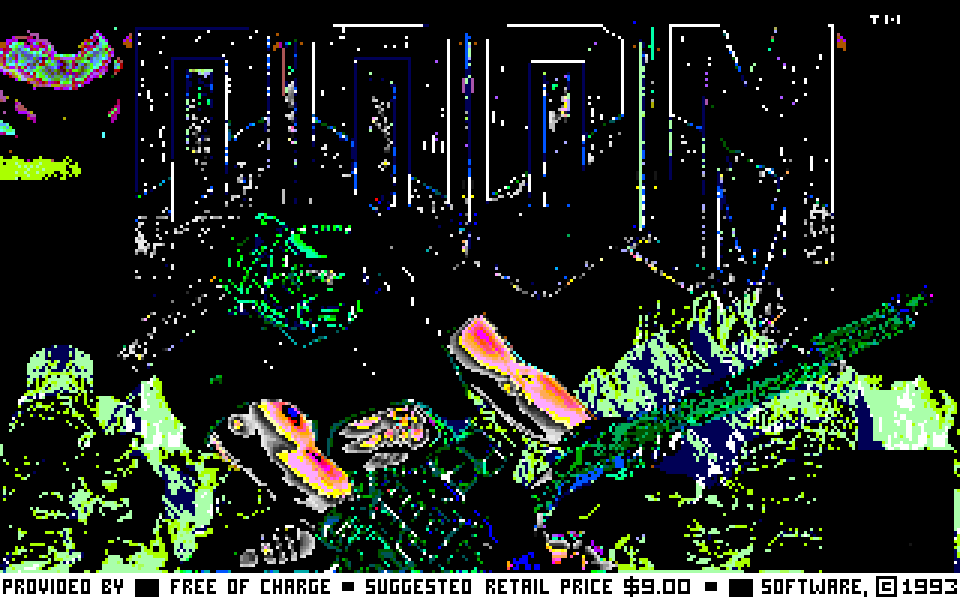
It looks horrible but it launches! DOOM provides its own colour map within the WAD file under the
PLAYPAL lump. The lump is loaded and some initialisation is done but it has to be "installed" to
X11, this is achieved with a call to XInstallColormap, this will be is placed above the call to
XDefineCursor.
XInstallColormap(X_display, X_cmap);
XDefineCursor(X_display, X_mainWindow,
              createnullcursor( X_display, X_mainWindow ) );
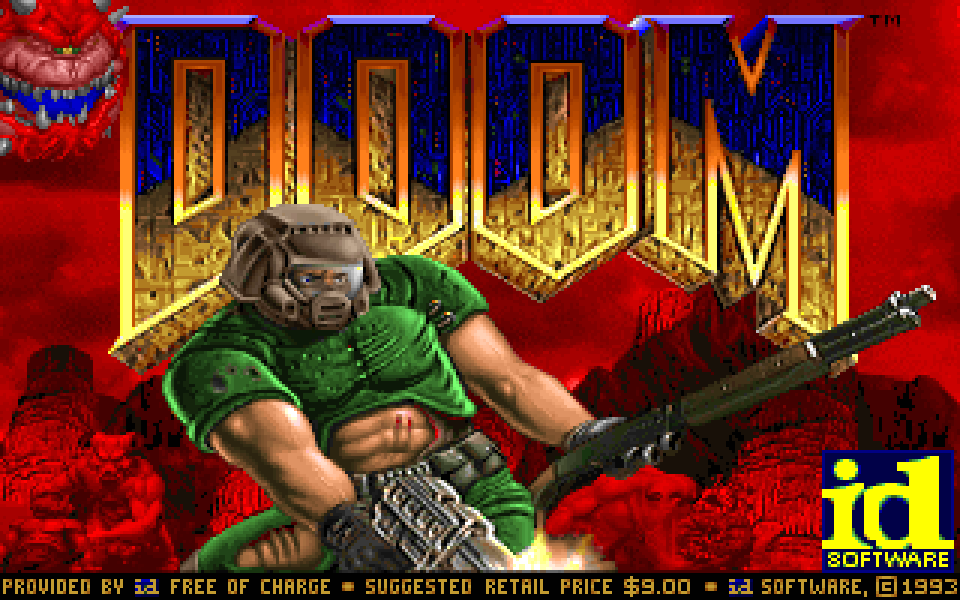
Much better! Although there's no sound. The logging to stdout includes this message.
Could not start sound server [sndserver]
This error is logged in function I_InitSound in file i_sound.c. A block of preprocessor
guarded code that is conditionally included on presence of the macro SNDSERV
that is defined in doomdef.h. I'm going to comment this out so that sound is handled within
the "linuxxdoom" process.
//#define SNDSERV 1
Next error.
Could not open /dev/dsp
ioctl(dsp,-1073459190,arg) failed
errno=9
/dev/dsp doesn't exist in my filesystem and it probably won't for you either. It was provided by
the Open Sound System (OSS) that was the primary mechanism for communicating with audio hardware on
Linux systems back in the day; it has since been superseded by the Advanced Linux Sound Architecture
(ALSA). Fortunately, ALSA provides a utility "alsa-oss" that transforms and routes OSS
interfacing calls by legacy applications, such as DOOM, to its own interface. It achieves this by
instructing the system's dynamic loader, through the use of the environment variable LD_PRELOAD,
to override C standard library functions, such as open and fopen, with its own implementation of
each respective function.
The default apt package manager repositories on Linux Mint does not host an i386 version of alsa-oss, but the Debian repository does. We shall download the ".deb" package and install it rather than add new repositories to apt.
wget <url to alsa-oss here> & sudo dpkg -i alsa-oss_1.1.8-2+b1_i386.deb
According to the alsa-oss man page, configuration should be made available in the file .asoundrc.
We'll create it in the user's home directory and add the following entry.
pcm.dsp0 {
        type plug
        slave.pcm "dmix"
}
Now the launch command looks like this.
DISPLAY=:1 aoss ./linuxxdoom -shdev -3
We have sound effects! But where's the music? Here's an excerpt from README.sound.
There is, and was, no music support in Linuxdoom. Fine with
me - I wouldn't give a bat's tail feathers for DOOM music.
Oh…
I'm sure I could get the music working if I really wanted to, but I don't give a bat's tail feathers either! Well, atleast with the legacy Linux system stuff. I would much prefer to detail the steps of integrating DOOM to modern platforms; using CMake for build orchestration and SDL for hardware and platform abstraction. A story for another day!